Quiet PC Semi-Fanless ATX A5
Original price was: €1,360.00.€1,230.00Current price is: €1,230.00.
Features
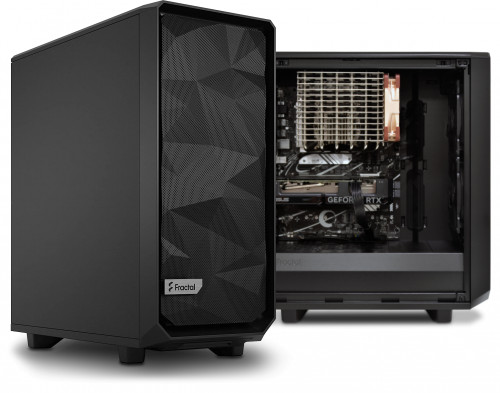
- Semi-Fanless system, configurable to your exact requirements
- Utilises a Zen4 AMD CPU, DDR5 memory and AM5 motherboard
- We build to your exact specifications
- Clean Build™ Promise and original OS+drivers supplied on DVDs
- Two year warranty with open-case policy
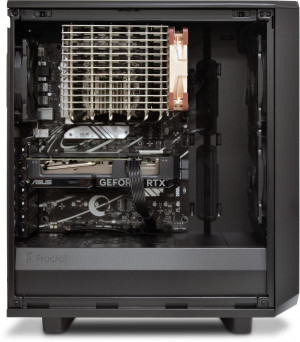
A constraint factor with completely fanless PCs is the inherent limitation in effectively cooling certain components passively. For instance, high-performance processors from both AMD and Intel often surpass the cooling capabilities of the Noctua NH-P1 when operated without an accompanying fan. Additionally, only graphics cards on the lower end of the performance spectrum can be adequately cooled without relying on direct airflow.
Best of both worlds!
This is where Semi-Fanless PCs shine, offering complete silence during light workloads. This silent operation is made possible by the motherboard’s BIOS settings and the use of 3-pin fans instead of 4-pin PWM fans in the system. In the BIOS, each fan is configured not to spin when the CPU temperature remains below 50°C. When the CPU temperature surpasses 50°C, the fans slowly start spinning, with their speed steadily increasing as the CPU temperature rises further. Naturally, as temperatures decrease, the fan’s speed decreases as well, eventually coming to a halt when the CPU temperature drops below the threshold.
PLEASE NOTE: The maximum noise level of the system all depends on the chosen processor and how it is being utilised. For example, during our tests we found that while running CPUs at 100% load the Core i5 14500 barely reached 65°C, resulting in a very quiet system. In contrast, the Core i9 14900K CPU exceeded 90°C, causing the installed fans to run at full speed making it notably louder compared to the Core i5 14500.
Graphics Card and Power Supply
One notable feature of modern graphics cards is their ability to stop its fans from operating during light workloads. These semi-fanless graphics cards are programmed with a temperature threshold set at 50°C. Similar to the aforementioned fans, these cards gradually increase their fan speed as the temperature rises. However, unlike the motherboard’s BIOS control for 3-pin fans, the graphics card automatically manages its own fan speed based on the GPU temperature. The configurator offers two types of graphics cards: completely fanless and semi-fanless models.
In contrast, the operation of power supply unit (PSU) fans follows a slightly different pattern. Instead of activating at a specific temperature, PSU fans start spinning when the PSU reaches a particular load level. For instance, the FSP 750W Hydro PTM Pro has a threshold set at 40%, which means the fan kicks in when the power supply needs to deliver 300W of power or more. This load threshold may vary, so it’s advisable to refer to the specifications of each PSU to determine the threshold for your chosen power supply.
AMD Ryzen Series
At the heart of the PC is a low-power AMD processor ushering in the next era of high performance for gamers, enthusiasts, and content creators thanks to the featuring up to 12 cores and 24 threads. Compared to the previous generation, the low-power AMD processors enable single-core performance improvement of up to +29%, up to 45% more compute for content creators, up to 15% faster gaming performance in select titles, and up to 27% better performance-per-watt, compared to the 5000 series.
To give you an idea of much performance each processors provides, take a look at the table below that shows some PassMark CPU Benchmarks, the higher the number the better the performance the processors offers.
| Series | Ryzen 5 | Ryzen 7 |
|---|---|---|
| 7000 – Passmark | 7600 – 27,966 | 7700 – 34,461 |
| 8000 – Passmark | 8500G – 21,807 / 8600G – 25,921 | 8700G – 32,103 |
| 9000 – Passmark | 9600X – 29,883 | 9700X – 37,698 |
The figures above are as of August 2024. They do change over time.
Motherboard Features and Options
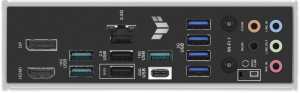
This particular computer has an option of two motherboards, an ASUS B850 or an ASUS X870. Both motherboards are an excellent choice for this PC and both feature PCIe 5.0 speeds for the primary M.2 port (up to 128Gb/s), 2.5Gb LAN port and built-in Wi-Fi 7 and Bluetooth. If you require faster and a few more USB ports along with an extra M.2 slot, then the X870 motherboard might be for you.
| B850-PLUS | X870-PLUS | |
|---|---|---|
| PCIe 5.0 x16 slot | 1 | 1 |
| M.2 ports (PCIe 5.0) | 3 (1) | 4 (1) |
| USB 40Gbps ports (Type-C) | 0 | 2 (2) |
| USB 20Gbps ports (Type-C) | 1 (1) | 0 |
| USB 10Gbps ports (Type-C) | 3 (0) | 3 (0) |
| USB 5Gbps ports | 4 | 4 |
| USB 2.0 ports | 2 | 1 |
| Total USB ports | 9 | 10 |
Storage considerations
When specifying your new PC’s storage options using our system configurator below, you will be offered a choice of drives which vary by price and capacity. There are two primary types of storage. A conventional hard disk drive (HDD) offers huge storage capacity for a low price, but it won’t be especially fast and it will generate a certain amount of running noise since it contains a constantly-rotating spindle. A solid state (SSD) or a M2 drive on the other hand, offer tremendous speed and absolutely silent operation, but they cost more than an HDD for any given capacity.
So if you need a lot of storage space (for videos or large quantities of digital photos for example), then we would recommend an HDD. On the other hand, if you prefer silence and speed (especially boot-up speed), then an SSD or M2 drive would be a better choice. Of course you can have more than one drive, so you could have the best of both worlds by choosing one of each! We recommend that customers chose an SSD or M2 drive as a boot drive that contains the operating system and important programs and a conventional HDD to store other data, but remember that if you intend to have a totally silent PC you might want to forgo the HDDs all together as they will make some noise due to their moving parts.
Clean Build™ Promise
These days, many pre-built PCs often rely on cash incentives from software companies to support their prices. These companies pay hardware manufacturers to pre-install limited or trial versions of their software, hoping that customers will eventually opt to upgrade to the full version. Unfortunately, this approach has a downside: it fills the new PC with unnecessary “junkware,” leading to an inflated operating system and performance issues.
At Quiet PC, we firmly believe that customers deserve the utmost performance from their brand new PCs. That’s why we proudly offer our Clean Build™ promise with every system we build. When you choose one of our PCs, we install only the essentials: the operating system (if requested), motherboard drivers, OS updates and Windows Security. Say goodbye to annoying pop-ups and nag screens. With our clean build promise you can immediately start using your new PC without the hassle of uninstalling numerous unwanted programs. Experience lightning-fast boot times and enjoy optimal performance for months and years to come.
Free hardware support and fully inclusive warranty
We offer free hardware technical support for as long as you own the machine. This support covers any hardware query or problem, including advice on maintenance and upgrades. We regret we can’t offer software support or training so we would recommend contacting the software vendor in this instance.
Our hardware warranty runs for at least two years and is “collect and return” meaning that you don’t need to worry about getting the machine back to us – we will instruct our courier to collect it from you on a day of your choosing, then after we have checked and repaired it we will send it back to you by express courier at our expense. In addition, unlike many other PC suppliers, we have an “open-case” policy which means you are free to open the machine and perform your own minor modifications or upgrades without worrying that your warranty might be affected.
Related products
-
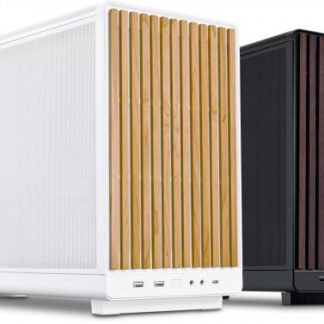
Quiet PC MicroQube Fanless i18
% Original price was: €1,350.00.€1,210.00Current price is: €1,210.00. Add to cart -
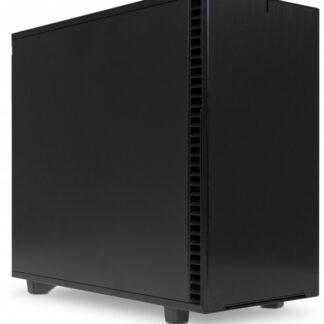
Quiet PC Serenity Pixelstation A5
% Original price was: €1,370.00.€1,199.00Current price is: €1,199.00. Add to cart -
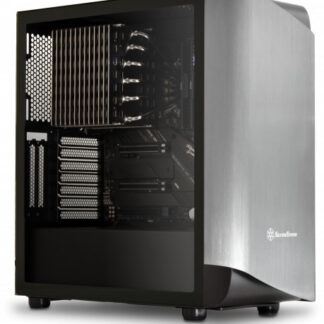
Quiet PC A70 Fanless A5
% Original price was: €1,400.00.€1,235.00Current price is: €1,235.00. Add to cart -
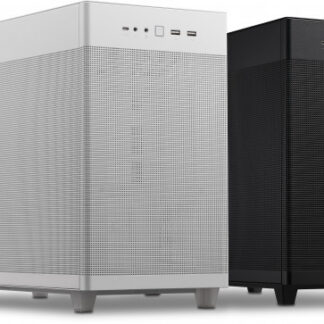
Quiet PC A50 Fanless i18
% Original price was: €1,350.00.€1,250.00Current price is: €1,250.00. Add to cart